
Color Palette Generator
Generate harmonious random palettes. Click on any color or code to copy it.
Color Palette Generator – Free Online Color Scheme Tool
A Color Palette Generator is a free online tool that helps you create beautiful color combinations. You can use these colors for websites, apps, logos, graphics, presentations, and other projects.
You do not need to choose every color by yourself. The tool can create a complete color palette for you. You can also try different color combinations until you find the ones you like.
Whether you are a designer, developer, content creator, or beginner, an online Color Palette Generator can help you find great colors for your project.
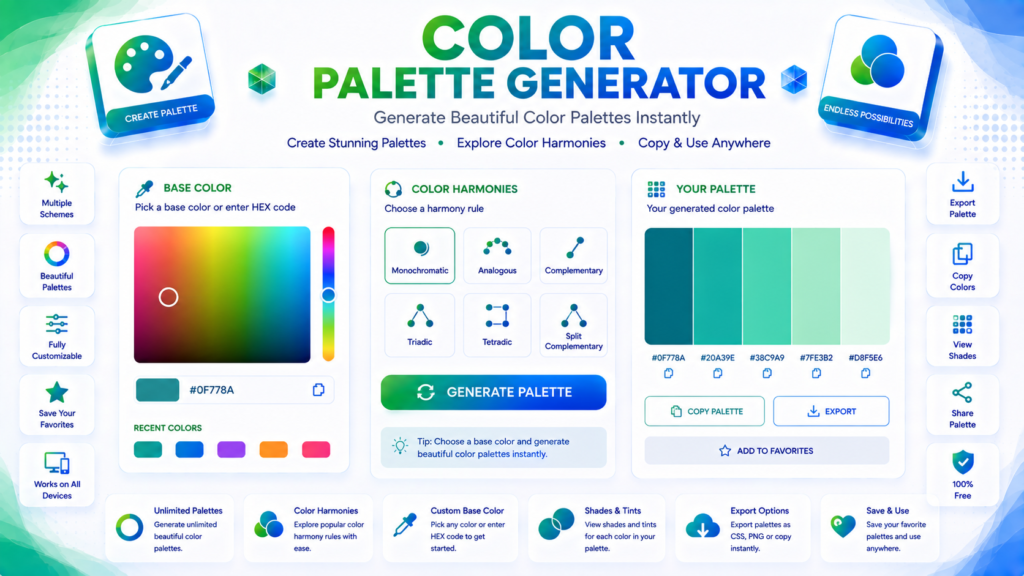
What Is a Color Palette?
A color palette is a group of colors that you use together in a design.
A palette can include:
- Main colors
- Secondary colors
- Accent colors
- Background colors
- Text colors
Using the same group of colors helps your design look clean and professional. It also helps you keep the same style across your website, app, brand, or social media posts.
How to Use the Color Palette Generator
Creating a color palette is easy:
- Open the Color Palette Generator.
- Choose a color or create a random palette.
- Look at the different color combinations.
- Change any color you want.
- Copy the HEX, RGB, or other color values.
- Use the colors in your project.
Try different combinations until you find a palette that matches your design.
Why Use an Online Color Palette Generator?
Choosing colors that look good together can be hard, especially when you are new to design.
A Color Scheme Generator can save you time by creating color combinations for you. It can also help you discover new colors that work well together.
You can use it for websites, apps, logos, illustrations, social media posts, presentations, and many other projects.
Common Uses of Color Palettes
You can use color palettes for:
- Website and UI design
- Mobile apps
- Logo design
- Brand design
- Graphic design
- Social media graphics
- Presentations
- Digital illustrations
- Marketing materials
- Landing pages
- Blogs and portfolios
Understanding HEX Color Codes
HEX codes are a common way to show colors in HTML and CSS.
A HEX color usually starts with a # symbol and has six letters or numbers after it.
For example:
#0F778A
This code represents one specific color. You can add the code directly to your website’s CSS.
Our Color Palette Generator helps you find color codes that you can copy and use in your design or website.
Features of Our Color Palette Generator
Our free online tool makes creating color combinations simple.
You can:
- Generate color palettes
- Try different color combinations
- Change individual colors
- Preview your colors
- Copy HEX values
- Explore different color schemes
The tool works well for beginners, designers, and developers. You do not need complicated design software to create a palette.
Frequently Asked Questions
What is a Color Palette Generator?
A Color Palette Generator is an online tool that creates groups of colors that look good together. You can use these colors for websites, graphics, logos, apps, and other designs.
Is the Color Palette Generator free?
Yes. Our online Color Palette Generator is free to use. You do not need complicated software.
What is a HEX color code?
A HEX color code uses letters and numbers to represent a color. Web designers and developers commonly use HEX codes in HTML and CSS.
Who can use a Color Palette Generator?
Anyone can use it. Web designers, graphic designers, developers, students, content creators, and business owners can all use a Color Palette Generator.
How many colors should a website palette have?
There is no fixed number. Many websites use a small group of main, secondary, accent, background, and text colors. Using a small number of colors can help keep the design clean and consistent.
Create Your Color Palette
Find great colors for your next project with our free Color Palette Generator. Create beautiful color combinations, try different color schemes, copy HEX values, and build a consistent style for your website, app, brand, or graphic design project.