
SVG to PNG
Convert vector SVG files into high-quality PNG images instantly.
Files are processed locally in your browser
SVG to PNG Converter – Free Online SVG to PNG Tool
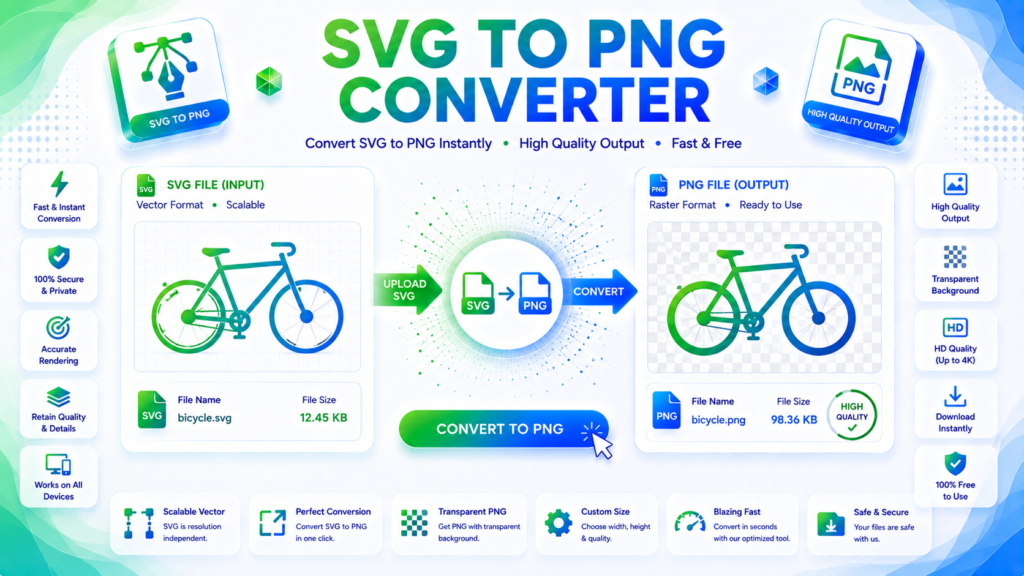
An SVG to PNG Converter is a free online tool that converts SVG (Scalable Vector Graphics) files into PNG (Portable Network Graphics) images. SVG files are ideal for scalable graphics, while PNG is widely supported for websites, documents, presentations, and image-based applications.
Our online SVG to PNG Converter lets you upload an SVG file, convert it to PNG, and download the resulting image quickly without installing desktop software.
What Is SVG?
SVG, or Scalable Vector Graphics, is an XML-based image format designed for vector graphics. Unlike raster images, SVG graphics can generally be scaled to different sizes without losing their sharpness.
SVG is commonly used for:
- Logos
- Icons
- Illustrations
- Website graphics
- Charts
- UI elements
- Vector artwork
However, some applications and platforms may not support SVG files as conveniently as common raster image formats.
What Is PNG?
PNG, or Portable Network Graphics, is a raster image format that supports lossless compression and transparency.
PNG is commonly used for:
- Website images
- Logos
- Icons
- Screenshots
- Digital graphics
- Presentations
- Transparent images
Converting SVG to PNG creates a raster image with fixed pixel dimensions.
Why Convert SVG to PNG?
Although SVG is excellent for scalable graphics, PNG may be more convenient when you need a standard image file that can be opened or uploaded by a particular application or platform.
Common reasons to convert SVG to PNG include:
- Using graphics in applications that do not support SVG
- Creating raster images for websites
- Sharing graphics more easily
- Preparing images for documents
- Creating social media graphics
- Generating PNG thumbnails
- Working with image-editing software
How to Convert SVG to PNG Online
Using our free SVG to PNG Converter is simple:
- Upload your SVG file.
- Select the desired PNG dimensions or settings if available.
- Start the conversion.
- Preview the converted image.
- Download the PNG file.
The conversion process turns the vector-based SVG artwork into a raster PNG image.
SVG vs PNG
SVG and PNG are designed for different purposes.
SVG:
- Vector-based
- Scales without typical raster pixelation
- Excellent for logos and icons
- Often used for web graphics
PNG:
- Raster-based
- Has fixed pixel dimensions
- Supports transparency
- Widely supported by applications and platforms
The best format depends on how you plan to use the image.
Does Converting SVG to PNG Reduce Quality?
Converting an SVG to PNG changes the graphic from vector format to raster format. The resulting PNG has a fixed resolution.
If you choose sufficiently large dimensions when converting, the PNG can maintain excellent visual quality for its intended use. However, unlike SVG, enlarging the resulting PNG significantly can eventually make the image appear pixelated.
SVG to PNG for Websites
PNG can be useful when a website or platform requires a raster image. However, SVG may be preferable for many simple logos, icons, and vector graphics because it can scale efficiently.
When using PNG on a website, choosing appropriate dimensions and compressing the image can help reduce unnecessary file size.
Features of Our SVG to PNG Converter
Our free SVG to PNG Converter provides a simple way to convert vector graphics into PNG images online. Upload your SVG, choose available conversion settings, generate the PNG, and download the result.
The tool is useful for designers, developers, bloggers, marketers, students, and anyone who needs to convert SVG graphics into a widely supported image format.
Frequently Asked Questions
What is an SVG to PNG Converter?
An SVG to PNG Converter is an online tool that converts SVG vector graphics into PNG raster images.
Is the SVG to PNG Converter free?
Yes. Our online SVG to PNG Converter is free to use and does not require desktop conversion software.
Does PNG support transparency?
Yes. PNG supports transparency, making it useful for logos, icons, and graphics with transparent backgrounds.
Does SVG to PNG conversion change the image dimensions?
The resulting PNG has fixed pixel dimensions. Depending on the converter, you may be able to select the output width and height.
Which is better, SVG or PNG?
Neither format is universally better. SVG is often suitable for scalable vector graphics, while PNG is useful when a raster image with broad compatibility and transparency is required.
Convert SVG to PNG Online
Convert your vector graphics quickly with our free online SVG to PNG Converter. Upload an SVG file, choose your preferred settings, convert it to PNG, and download the resulting image for your website, design, document, or other project.